From discovery to report

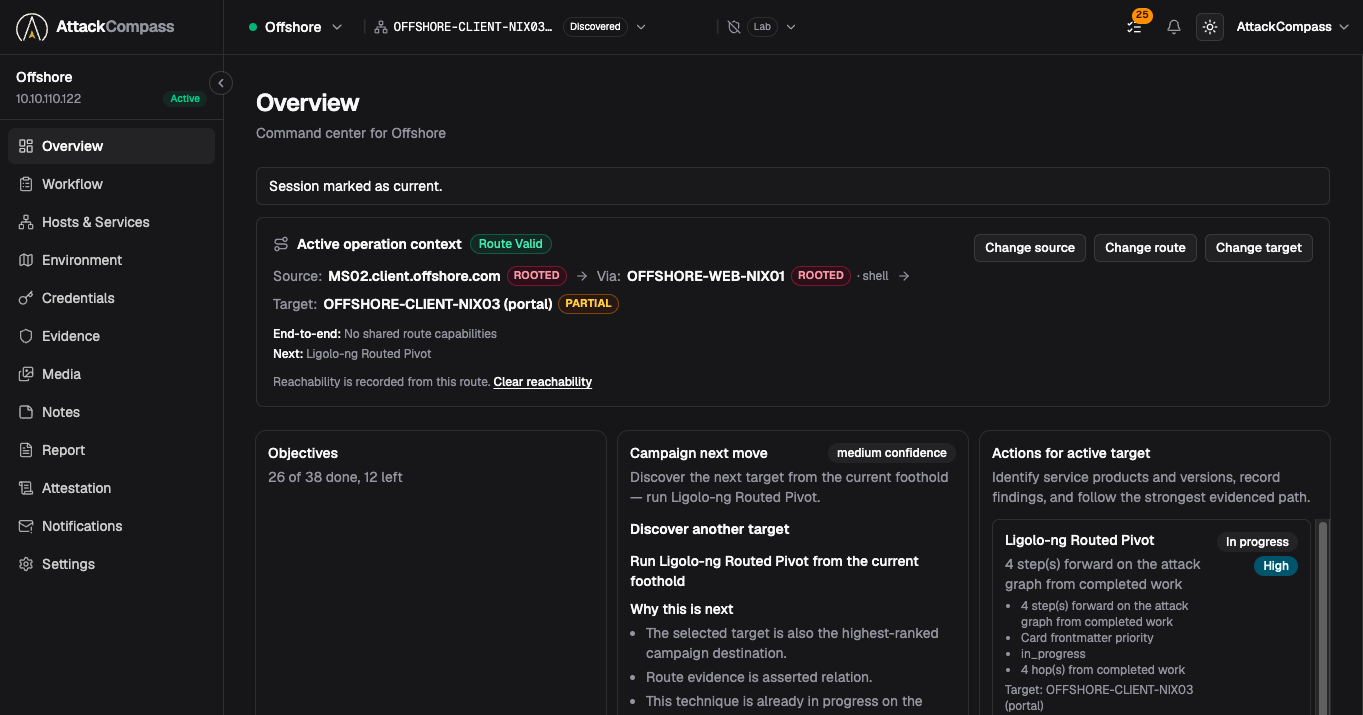
Keep recon, creds, pivots, findings, and evidence connected in one workspace. AttackCompass helps you see what to test next, what you may have missed, and what belongs in the final commercial-grade report. You stay in control.

No credit card required. Full access for seven days.

Enumerate

As you scan and look around, save each host, service, and login you find.

Exploit

Copy/paste-ready commands to try for a first foothold. Save proof as you work.

Escalate

When you get in, see what higher to try next and why. Keep the path clear.

Report

Use your saved loot and findings to write the final commercial-grade report.

Why AttackCompass

To proceed with confidence, stay organized, and save time.

AttackCompass is not another scanner. It is not autonomous AI pentesting. It sits above the tools you already use and helps you decide what deserves attention next using deterministic logic.

Your tools produce a lot of data: Nmap discovers, Burp tests the web, BloodHound maps Active Directory, NetExec enumerates, and more. AttackCompass connects that work and shows where the highest-value paths are, with clear step-by-step recommendations.

  • Nmap
    Discovers hosts and services
  • Burp Suite
    Tests web apps
  • BloodHound
    Maps Active Directory
  • NetExec
    Enumerates Windows and SMB
  • AttackCompass
    Connects the engagement and shows the highest-value paths

Context-aware next steps

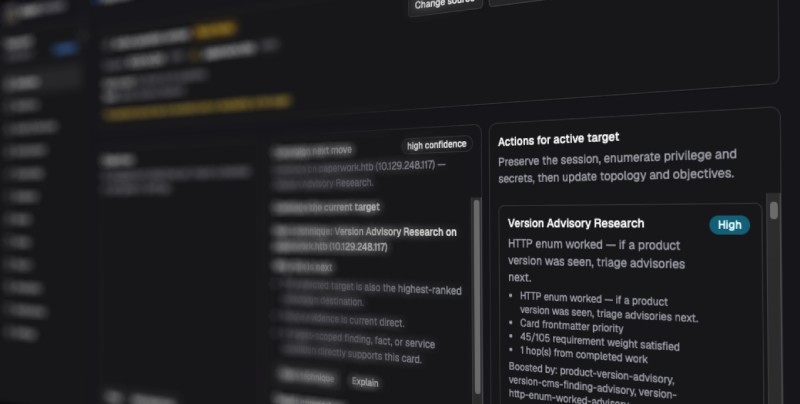
See what is next — and why.

AttackCompass ranks steps from what you saved in the engagement. Each one is recommended, deferred, or blocked, with a reason you can check.

Just a checklist?

No. Static lists stay fixed. Steps we suggest change as your findings, access, and progress change.

Why not ChatGPT?

ChatGPT is good at knowledge retrieval. AttackCompass goes beyond that by aggregating engagement state, blockers, and evidence over time to suggest the highest-value paths.

Will it hallucinate?

No. Recommendations are not AI-generated. Each step shows why it is recommended, deferred, or blocked from saved evidence — so you can judge if it's appropriate to follow.

Reporting

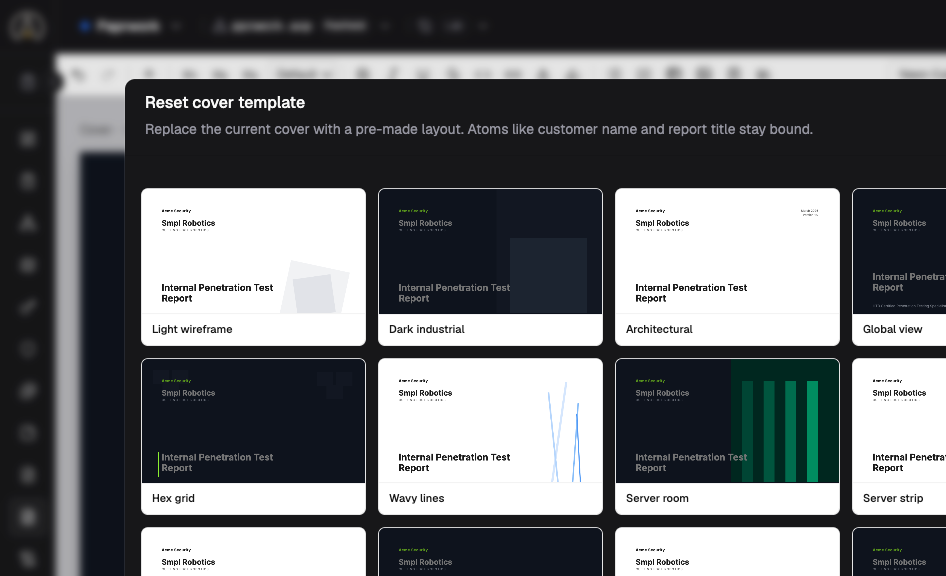
Build the report from work you already saved.

Save notes, proof, and findings while you test. When it is time to write, the work is ready to use and review — not rebuilt from scratch.

AttackCompass cover template picker with pre-made report layouts

Security

Built for engagements you cannot afford to leak.

Pentest engagements can contain credentials, hashes, API keys, vulnerabilities, screenshots, internal hostnames, network details, and exploit evidence. Client mode is commercial client-side encryption for sensitive fields against a hosted-storage adversary — sealed before upload, with structural metadata left readable on purpose.

Encrypt before upload in Client mode

Commercial client-side encryption for sensitive fields against a hosted-storage adversary: credentials, findings, notes, report content, and more are sealed in the browser or local proxy before they reach AttackCompass. Supported IPv4 addresses and ranges become keyed projections.

Media stays opaque on the server

In Client mode, screenshots and engagement media are encrypted on your device before upload. The hosted app stores opaque ciphertext.

You keep execution control

AttackCompass ranks next steps from what you recorded. You choose and run every attack action. The web product does not autonomously execute attack tools.

Delete workspace records

Deleting a workspace hard-deletes its database records. The Security Model documents what is stored, what Client mode encrypts, and what structural metadata remains server-readable.

Read the Security Model →

Commercial client-side encryption for sensitive fields against a hosted-storage adversary. Operator controlled. No autonomous exploitation.

A Letter

Why AttackCompass was built

Real pentests do not follow a straight line. One host leads to a new service. A login opens a new path.

AttackCompass was built around one simple idea: work saved during a pentest should make the next step and the final report easier to understand.

Know what to test next. Save proof as you go. Build a report you can stand behind.

AttackCompass
The AttackCompass Team

7-Day Full Trial

No credit card required. Full access for seven days.

No billing details required to start. Start with the sample engagement or use AttackCompass on your own approved pentest.

Discover → prioritize → capture evidence → generate report

No billing details required to start. If you do not choose a paid plan and agree to its terms, the trial ends after seven days without a charge.

Full Founding Operator access for seven days. No demo-only limits.

Paid plans after the trial

  • Founding Operator Monthly — $49 a month
  • Founding Operator Annual — $399 a year

A trial converts only after you choose a plan, enter billing details, and agree to renewal. Paid plans renew on their own. Cancel any time. Tax calculated at checkout.

Refunds

Ask for a full refund within 30 days of your first payment.

Email [email protected] within 30 calendar days of the first payment. We use UTC to count the 30 days. Renewals and chargebacks do not qualify. Partial refunds need additional processing time and approval from AttackCompass.

Common questions

Does AttackCompass run attacks for me?

No. AttackCompass gives guidance. You choose and run every action.

Can I keep using my current tools?

Yes. Keep using your current tools with AttackCompass.

What happens to my pentest data?

Client mode is commercial client-side encryption for sensitive fields against a hosted-storage adversary. Read the security page before adding client data — it explains what is sealed before upload, what structural metadata remains server-readable, and what happens when you export or delete data.

How do cancellation and refunds work?

A trial without billing consent expires without a charge. Paid users can cancel any time in the payment portal. For refund rules, see the pricing page.